Resources
Add the Chat Widget to Your Bubble App
This guide shows you how to embed the CatchWhen chat widget into your Bubble app. You'll paste the embed code through Bubble's Settings page. No plugins required.
Copy your CatchWhen embed code
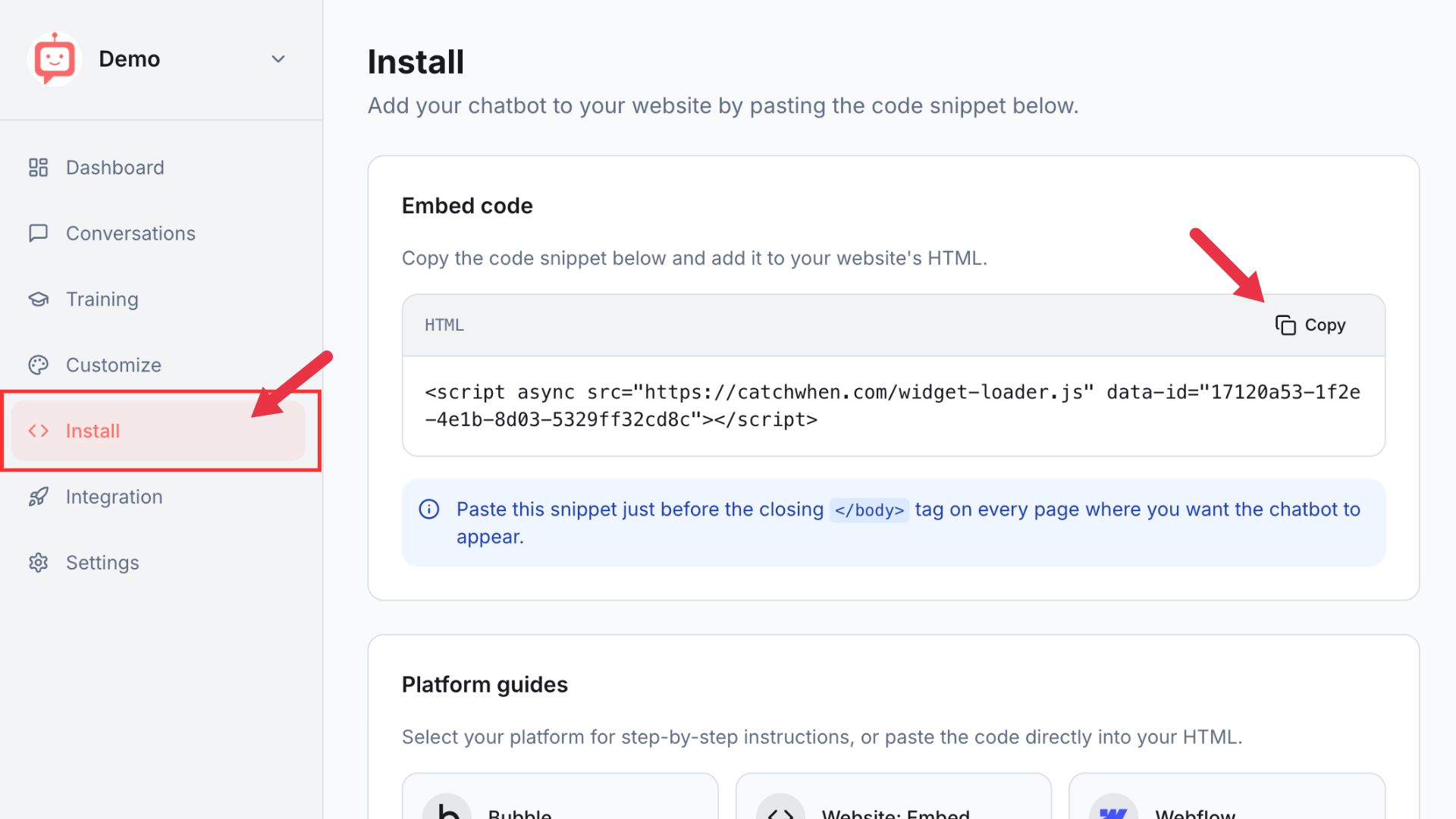
Navigate to your Dashboard page and click the Install tab in the left menu. You'll see a code snippet on the screen. Click the Copy button.
Open your app in the Bubble Editor
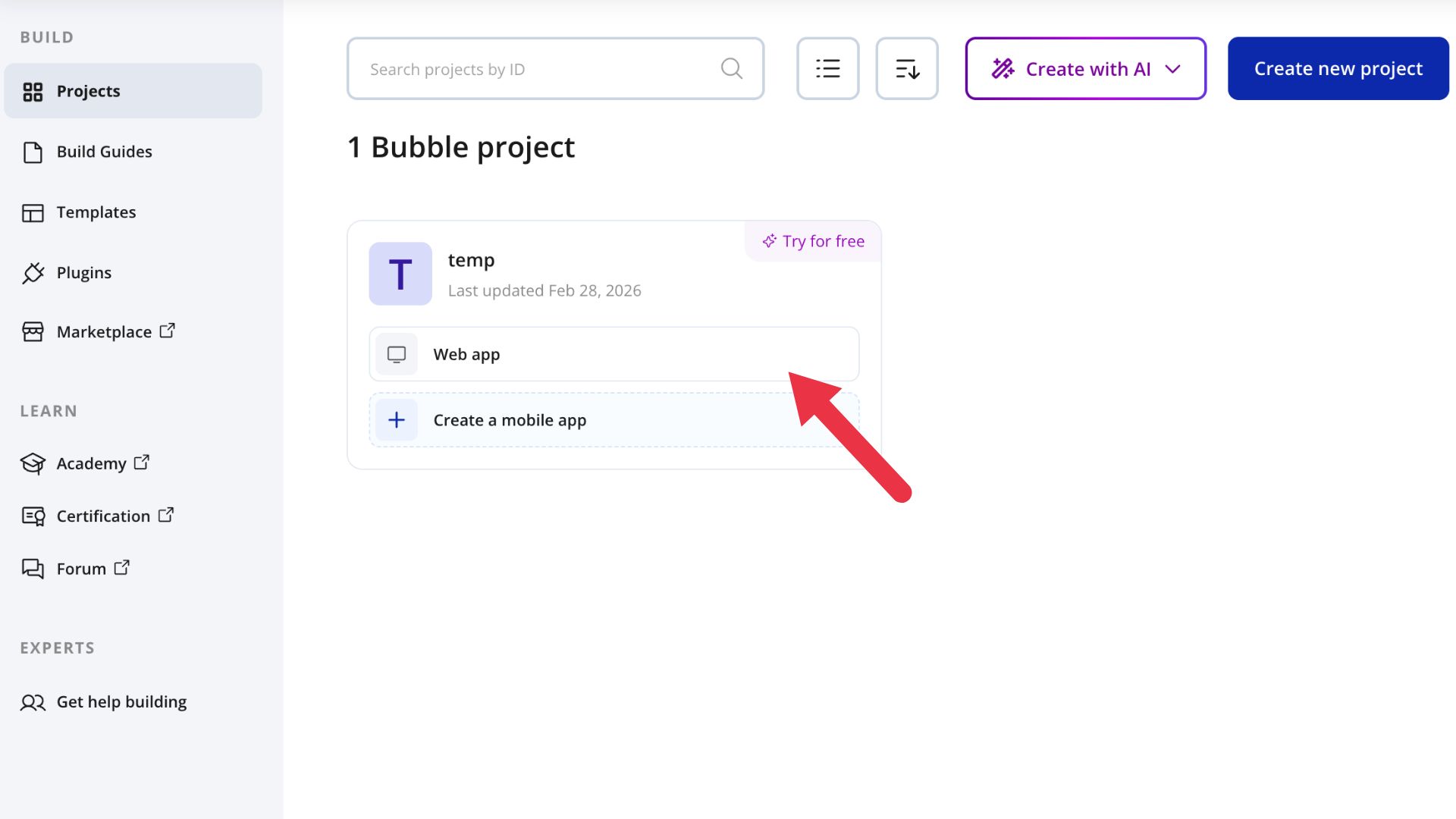
Sign into your Bubble account and head to your account dashboard. Pick out the Bubble app or website you wish to embed the chat widget on and click the Web app button next to it.
Go to SEO and metatags
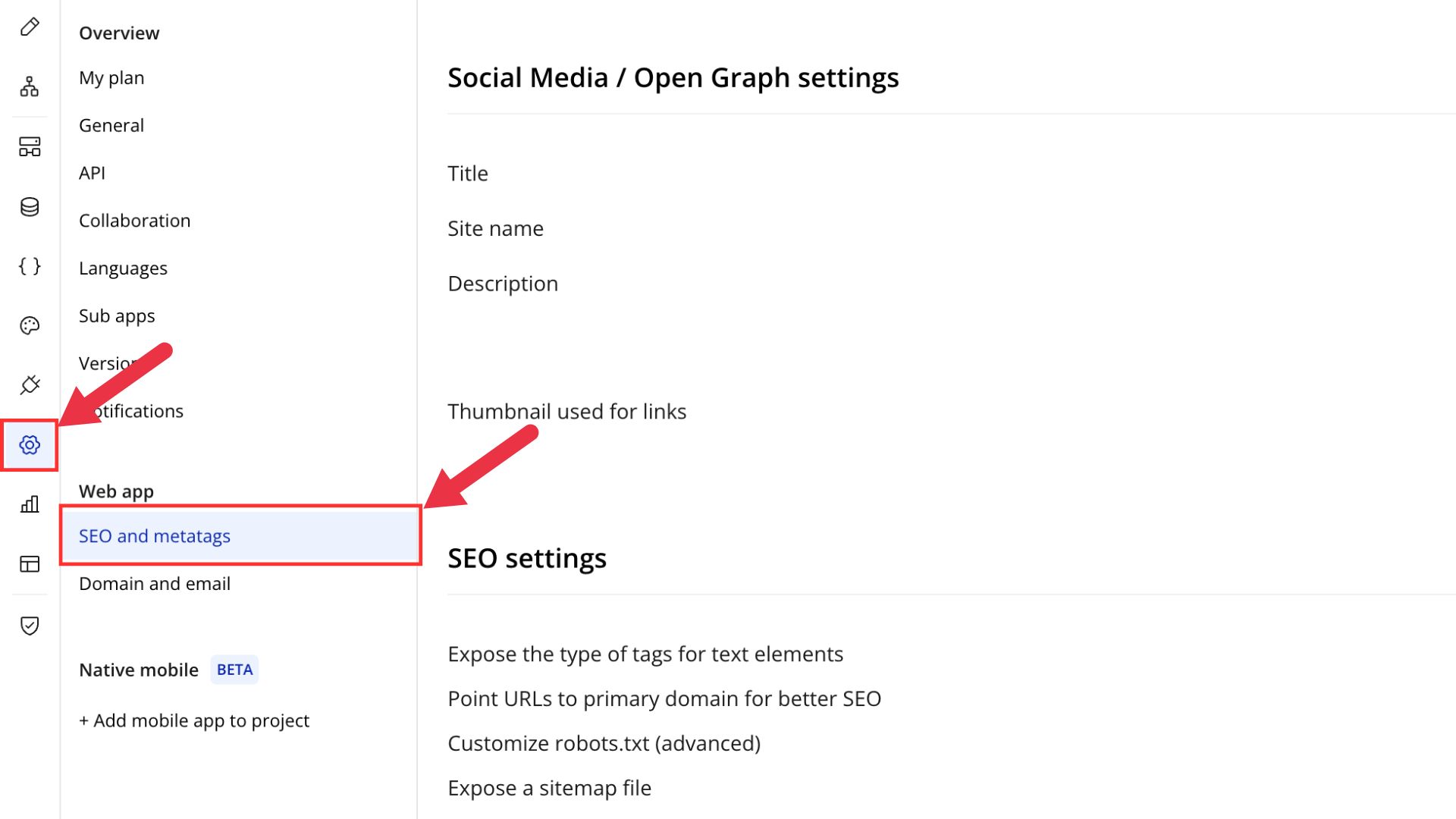
In the Bubble Editor, click the Settings icon on the left menu. Then click SEO and metatags.
Paste the code into Script in the body
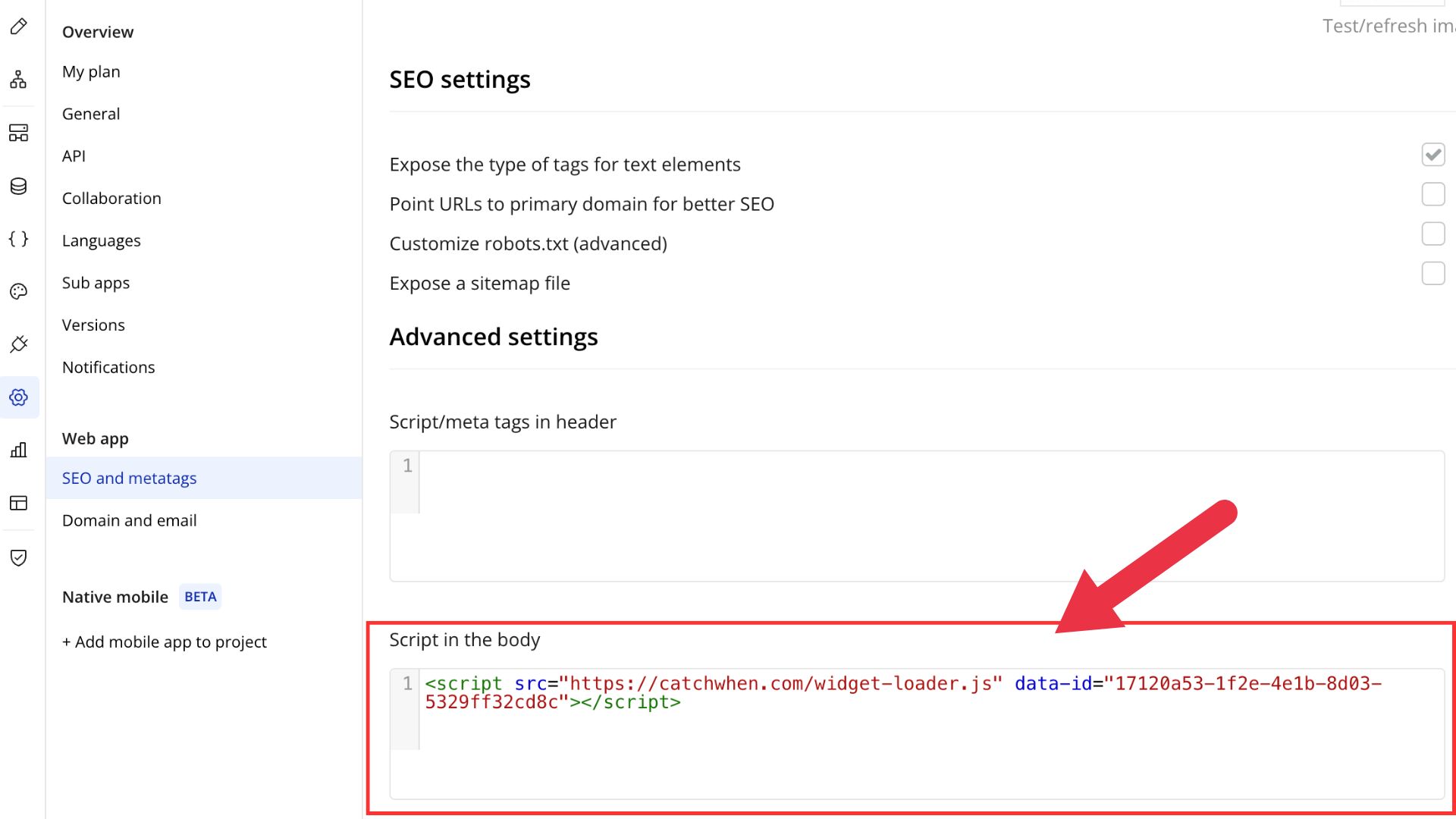
Scroll down to find the Advanced settings section. Paste your copied embed code into the Script in the body field.
Preview and test your app
You can now preview your Bubble app to test your chat widget.
Customizing Your Website Agent
You can customize the appearance of your Website Agent on the CatchWhen dashboard. Click the tab in the left menu to reveal the appearance and chat interface options.