Resources
Add the Chat Widget with Vibe Coding Tools
If you're building your site with an AI coding tool, you can install the CatchWhen chat widget in seconds. Just paste a prompt with your embed code into the AI chat.
Works with popular AI coding tools
Copy your install code
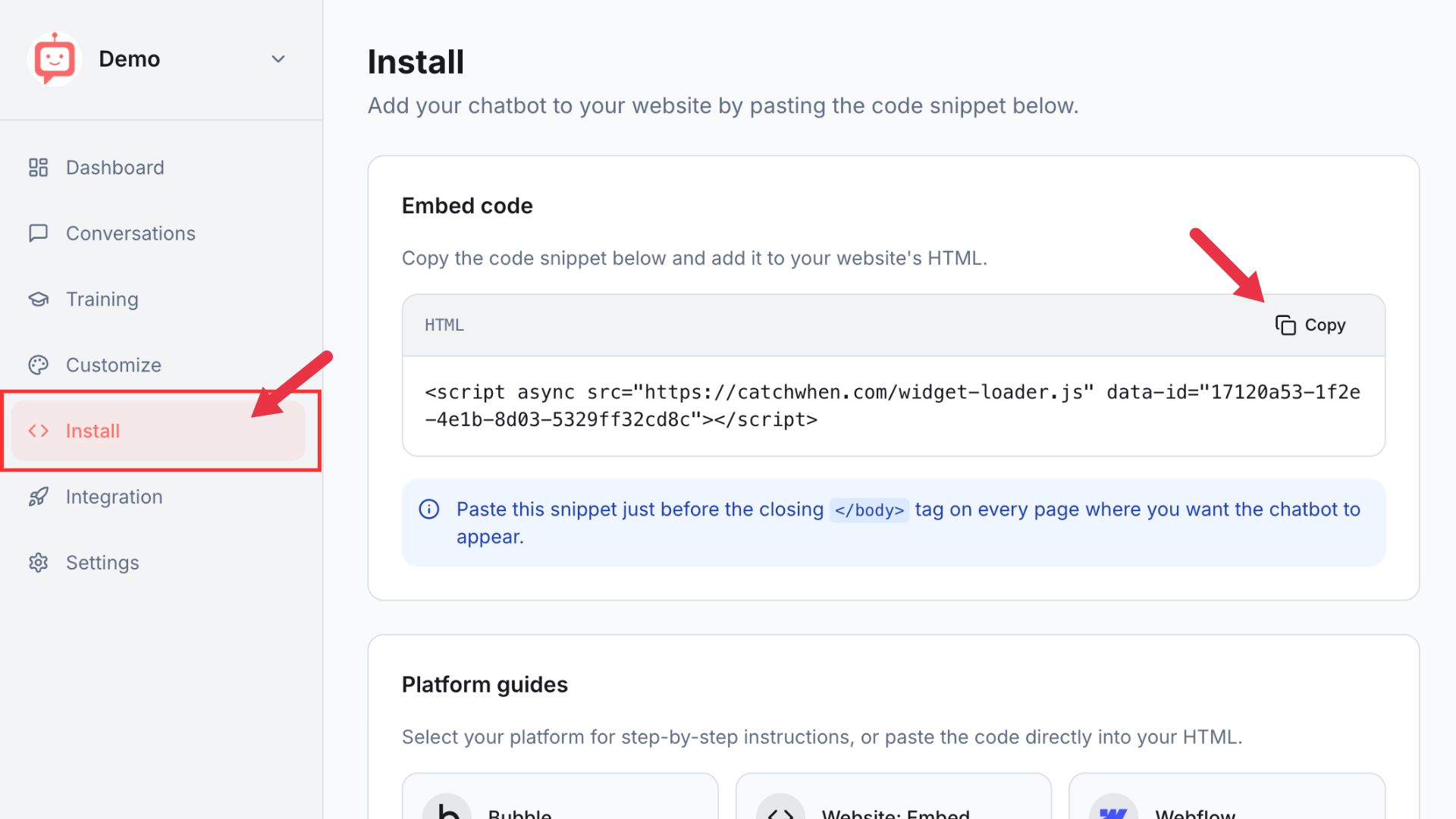
Go to your CatchWhen Dashboard and click the Install tab in the left menu. Click Copy to copy the embed code snippet.
Send a prompt to your AI tool
Open your AI coding tool's chat and paste the following prompt along with your copied code:
Add this chat widget script just before the closing </body> tag in my HTML:

[Paste your embed code here]
The AI will find the right place to insert the script and apply the change for you.
Preview and verify
Preview or deploy your site and look for the chat widget in the bottom right corner. Click it and send a test message to make sure everything is working as expected.
Customizing Your Website Agent
You can customize the appearance of your Website Agent on the CatchWhen dashboard. Click the tab in the left menu to reveal the appearance and chat interface options.