10 AI Customer Service Use Cases for Local Business Websites
Use these 10 AI customer service use cases to decide what a local business website can answer, route, or keep human before launch.
 Leo Lee12 min read
AI customer service use cases sound broad until you put them inside a real local business website.
Then the question gets simpler:
What can AI safely handle when a customer asks a question and nobody is free to answer?
For a med spa, that might be a late-night question about consultation pricing. For a salon, it might be a new client who does not know which color service to book. For a wellness clinic, it might be someone asking what to expect before the first visit. For a home service business, it might be a quote request that needs photos, location, and timing before anyone can respond.
The right customer service AI use case is not "replace the front desk." It is more practical: answer what is known, collect what is useful, route the customer to the right next step, and stop before the AI starts making promises it cannot verify.
Quick answer: use AI for frequent, clear, website-based support moments
The best AI customer service use cases for local business websites are the moments where the customer:
- asks the same question your team answers every week
- needs a link, policy, price range, service explanation, or next step
- is still deciding whether to book, request a quote, call, or leave
- needs details collected before a human follows up
- should be routed to a person before the question becomes risky
That is why this article focuses on website support moments, not enterprise call-center automation.
The U.S. Small Business Administration's AI guidance for small businesses recommends starting small, testing tools, reviewing AI output, and protecting customer trust. That posture fits local business customer service well. Start with the support moment that is frequent, low-risk, and tied to a clear next step.
Source links in this article were checked May 18, 2026.
Test these 5 use cases first
If you want the short version, start with these five. They are common, useful, and usually lower risk than complaints, refunds, or personalized advice.
- Service questions: "Do you offer this?"
- Price guidance: "How much does it usually cost?"
- Booking help: "Which appointment should I choose?"
- Quote intake: "Can someone give me an estimate?"
- Human handoff: "Can I talk to someone?"
These are not the only customer service AI use cases. They are the first ones worth testing because they sit close to revenue and do not require the AI to pretend it has authority it does not have.
If you want a separate priority framework before choosing a workflow, use the customer support automation priority map. If you already have a draft bot and want to test it, use these 50 AI chatbot test questions.
The 10-use-case website support map
Use this map to decide what AI can answer, what it should route, and what should stay human.
| Use case | Customer moment | AI can do | Human boundary |
|---|---|---|---|
| 1. Service fit | "Do you offer this service?" | Explain service pages and suggest the closest next step. | Do not make medical, legal, financial, or safety suitability decisions. |
| 2. Price guidance | "How much does it cost?" | Share published ranges, starting prices, or what affects cost. | Do not promise exact pricing without review. |
| 3. Booking help | "Which appointment should I choose?" | Explain service options and route uncertain cases to consultation. | Do not guarantee the appointment type is correct for a complex case. |
| 4. Consultation routing | "Do I need a consult first?" | Explain when a consultation is required and link to the consult path. | Do not determine eligibility. |
| 5. Quote intake | "Can you estimate this?" | Ask for job type, photos, location, timing, and notes. | Do not issue a final quote. |
| 6. After-hours response | "Can someone get back to me?" | Collect contact details and summarize the question for follow-up. | Do not pretend the business is actively staffed after hours. |
| 7. Policy answers | "What is your cancellation policy?" | Summarize approved policies and link to the policy page. | Do not approve exceptions or refunds. |
| 8. First-visit prep | "What should I do before I come in?" | Share prep instructions, forms, parking, and arrival details. | Do not personalize instructions for health or safety situations. |
| 9. Complaint triage | "I am unhappy with what happened." | Acknowledge, collect details, and route to the right human. | Do not argue, decide fault, or offer compensation. |
| 10. Human handoff | "Can I talk to someone?" | Explain the best contact path and collect context. | Do not trap the customer in automation. |
The pattern is simple: AI should handle information, intake, routing, and context. Humans should handle judgment, authority, exceptions, and emotional repair.
1. Service questions that block booking
A customer who asks "Do you offer microneedling?" or "Do you repair this type of appliance?" is not always looking for a long explanation. They are trying to decide whether your business belongs on their shortlist.
AI can answer from your service pages, then move the customer to the next step:
- "Here is the service page."
- "This usually starts with a consultation."
- "If you are unsure, share a few details and the team can point you to the right option."
This is a strong first use case because it is frequent and low-risk when the answer comes from approved website content.
The boundary matters. A med spa AI can say that the business offers Botox consultations. It should not say, "Yes, Botox is right for you."
2. Price questions that need careful framing
"How much does it cost?" is one of the most important AI customer service examples because it looks simple but often is not.
A price question can mean:
- "Can I afford this?"
- "Will I be surprised later?"
- "Is a consultation worth booking?"
- "Do I need a quote first?"
If your website publishes starting prices or price ranges, AI can share that information and explain what affects the final number. If pricing depends on dosage, hair length, repair scope, location, parts, or provider review, the AI should say that clearly.
Bad answer:
This will cost $250.
Better answer:
Pricing depends on the service details. Our published starting price is listed here, and the team can confirm the exact amount after reviewing your needs. You can book a consultation or send the details here.
The better answer is less flashy. It is also safer and more useful.
3. Booking confusion before the customer leaves
Many local businesses already have a booking link. That does not mean customers know what to click.
The customer might think:
- "My booking link exists, but visitors still get stuck."
- "People ask prices but do not book."
- "I do not want them choosing the wrong service."
An AI Support Agent can explain the difference between services, ask a simple clarifying question, and route uncertain cases to consultation instead of letting the visitor guess.
For a salon, that might mean separating root touch-up, full color, balayage, and color correction. For a wellness clinic, it might mean explaining first visit versus follow-up. For a fitness studio, it might mean routing a beginner to the trial class page.
The boundary is live availability. Unless the AI is connected to a reliable scheduling system, it should not claim that a specific time is available. It should send the visitor to the booking page where availability is actually shown.
4. Consultation questions that need boundaries
Consultation questions are valuable because they often happen right before a lead is ready.
A visitor asks:
- "Do I need a consultation first?"
- "Am I a good candidate?"
- "Can I do this before an event?"
- "Should I book a consult or the service?"
AI can explain your general consultation policy. It can say that new clients, certain services, or higher-risk questions should start with a consult. It can link to the consultation page or contact form.
It should not decide eligibility. It should not diagnose. It should not tell the customer that a treatment, plan, or service is safe for their personal situation.
This is where the difference between a generic chatbot and a careful Website Support Agent becomes visible. The useful answer is not the most confident answer. It is the answer that knows where to stop.
5. Quote intake that saves the first callback
Quote-based businesses lose time when the first callback is only used to ask for basic details.
AI can collect:
- service type
- location or service area
- photos or measurements when relevant
- timeline
- budget range if appropriate
- contact details
- notes about urgency
That does not replace the estimate. It makes the estimate easier.
A home service visitor asking "Can you give me a quote?" may not need a final number from AI. They need to know what information the team needs before the quote can be accurate.
This is a practical customer service AI use case because it helps both sides. The customer feels heard, and the business receives a cleaner request.
6. After-hours inquiries that should not go cold
Small teams often say, "I miss calls when I am with a client" or "We get inquiries after hours and see them too late."
AI can cover the first response without pretending the business is open.
Good after-hours handling sounds like this:
The team is not live right now, but I can help collect your question and send you to the right next step. What service are you interested in?
That sets the expectation. It does not overpromise. It gives the customer something useful to do now.
For appointment-based businesses, after-hours support is often less about solving the whole issue and more about keeping the customer from disappearing before morning.
7. Policies that need consistency
Policy questions are good AI use cases when the policy is already written.
Examples:
- cancellation window
- deposit rules
- late arrival policy
- parking instructions
- prep instructions
- service area
- refund process
The AI can summarize the policy and link to the full page. That gives customers a fast answer and keeps staff from rewriting the same message.
The risk is exceptions. If a customer asks, "Can you waive the fee?" or "Can you make an exception?", the AI should route the request to a person.
Bad answer:
Yes, we can waive that.
Better answer:
The standard policy is listed here. Exceptions need to be reviewed by the team, so the best next step is to contact us with your appointment details.
8. First-visit prep that reduces friction
First-time customers ask small questions because they do not want to feel unprepared.
- "Where do I park?"
- "Should I arrive early?"
- "Do I need to fill out a form?"
- "What should I wear?"
- "Can beginners join?"
- "Can I bring someone with me?"
These questions are not dramatic, but they affect confidence. AI can answer from approved prep instructions and point to forms, arrival details, or first-visit pages.
For wellness, fitness, beauty, and med spa businesses, this use case also reduces front-desk repetition. The customer arrives with fewer surprises, and the team spends less time explaining basics.
The boundary is personal health or safety. If the question depends on the customer's medical situation, injury, medication, or personal risk, the AI should send them to a qualified person.
9. Complaint triage without making things worse
This is not usually the first workflow to automate fully. But AI can still help at the edge of a complaint if it stays careful.
A customer might say:
- "Nobody called me back."
- "I was charged twice."
- "I am unhappy with my appointment."
- "I want a refund."
The AI should not defend the business, decide fault, or promise compensation. It can acknowledge the issue, collect details, and route the customer to the right contact path.
Good complaint triage sounds like:
I am sorry this happened. I can help get this to the right person. Please share your name, the appointment or order details, and the best way for the team to reach you.
That is not a complete resolution. It is a cleaner handoff.
10. Human handoff that customers can actually use
Some AI systems fail because they make it too hard to reach a person.
That is a trust problem.
The handoff use case should be designed intentionally. If the customer asks for a person, the AI should not keep looping. It should give the best next step and, when useful, collect context so the human follow-up is not starting from zero.
IBM describes AI agents as systems that can work toward goals, use tools, and reason through steps more autonomously than simpler bots. IBM also explains AI in customer service as a way to support agents and improve service workflows, not only answer chats. For a local business, that idea should be translated carefully: the AI should help the customer move forward, but it should not hide the human path. See IBM's pages on AI agents and AI in customer service for broader terminology.
Where CatchWhen fits
CatchWhen is useful when your best use cases are website-based support moments: repeated questions, booking confusion, quote intake, after-hours inquiries, and human handoff.
The point is not to make every customer service problem automatic. The point is to build a business-specific Website Support Agent that applies a map like this:
- answer from approved website and FAQ content
- ask for context when the next step needs details
- route to booking, quote, call, email, or contact paths
- stop when the question needs human judgment
That is the reason CatchWhen talks about an AI Support Agent rather than only an AI chatbot. The job is not just to reply. The job is to help the customer reach the next safe step.
If you are still deciding whether the word "chatbot" or "agent" fits your business, this AI chatbot vs AI Support Agent decision matrix explains the category difference.
FAQ
What are the best AI customer service use cases for a small business?
The best first use cases are frequent, low-risk, and tied to a clear next step. Start with service questions, price guidance, booking help, quote intake, after-hours response, policy answers, first-visit prep, and human handoff.
Should AI handle customer complaints?
AI can help triage complaints by acknowledging the issue, collecting details, and routing the customer to the right person. It should not decide fault, argue with the customer, approve refunds, or promise compensation.
Is an AI customer service agent different from a chatbot?
It can be. A basic chatbot answers or guides a conversation. An AI customer service agent should also understand the support moment, use approved business information, collect useful context, and route the customer to the right next step.
Where should a local business start?
Start on the website with questions visitors already ask before booking, requesting a quote, or contacting the team. That is usually easier and safer than trying to automate phone, SMS, social, email, refunds, and complaints at once.
Takeaway
The strongest AI customer service use cases are not the flashiest ones.
They are the moments where a customer is already interested but stuck: the price question, the booking question, the quote question, the after-hours message, the policy question, and the request to reach a person.
Use AI there first. Let it answer, collect, and route. Keep judgment, exceptions, and sensitive decisions human.

Article by
Leo Lee
Leo Lee is the founder and builder of CatchWhen, a Customer Support AI System that creates AI Support Agents for appointment-based local businesses. CatchWhen helps med spas, salons, wellness clinics, and other independent service businesses answer customer-facing website inquiries and route ready leads into the booking, quote, or contact tools they already use. Leo writes about the workflows, guardrails, and infrastructure behind production-ready AI customer support agents.
Keep reading
AI Chatbot for Small Local Businesses: A Practical Website Guide
A practical guide to AI chatbots for small business websites: what they answer, where they fit, and how local owners route visitors to booking or quote links.
 Leo Lee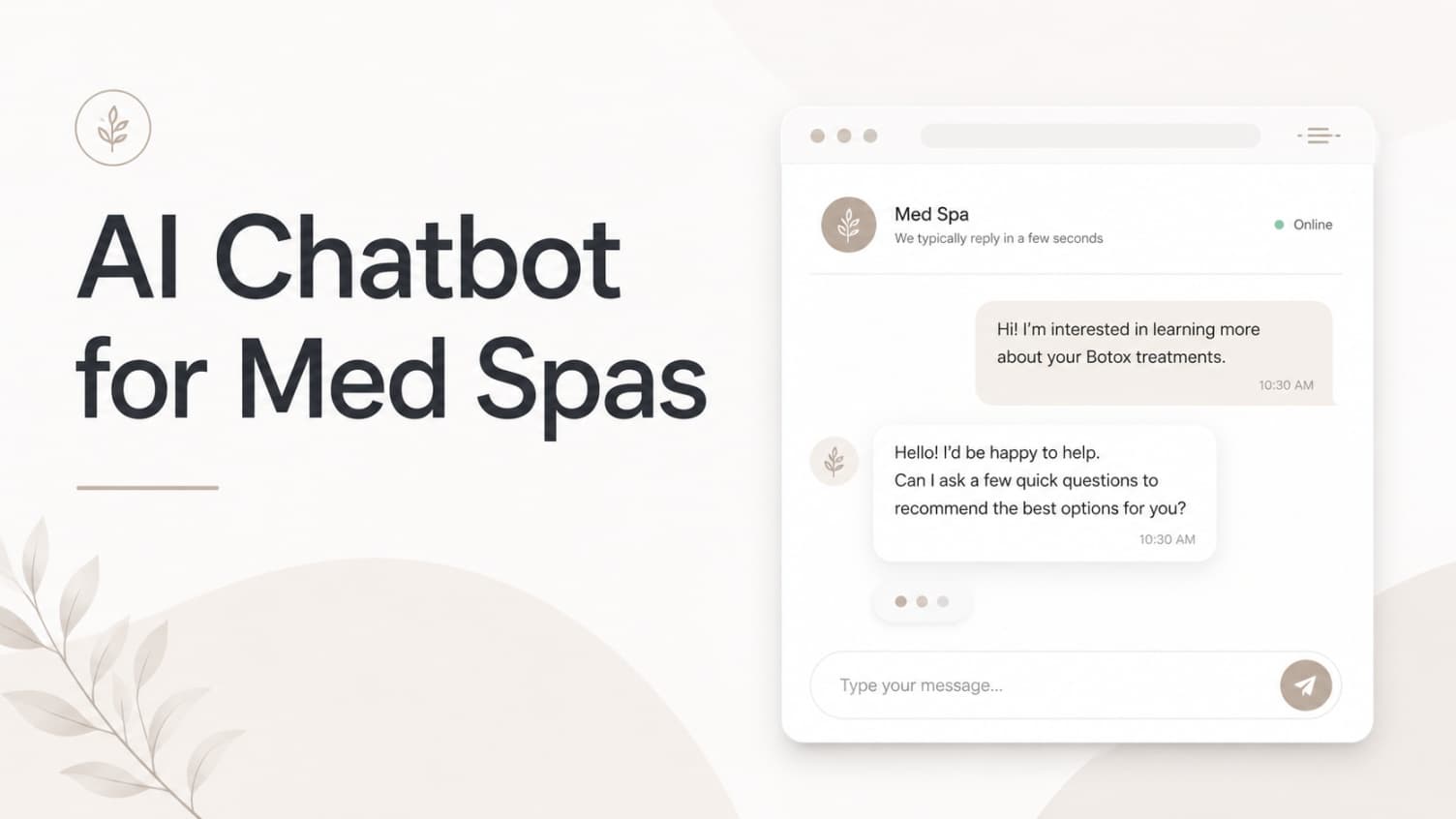
AI Chatbot for Med Spas: Route More Consult Requests from Your Website
A practical guide to med spa website chatbots: answer Botox, filler, laser, pricing, and consult questions, then route visitors to your existing booking path.
Leo Lee
AI Chatbot for Wellness Clinics: Answer First-Visit Questions Faster
A practical guide to wellness clinic website chatbots: answer physio, chiro, massage, pilates, yoga, and IV drip first-visit questions, then route ready visitors to booking or intake.
Leo Lee